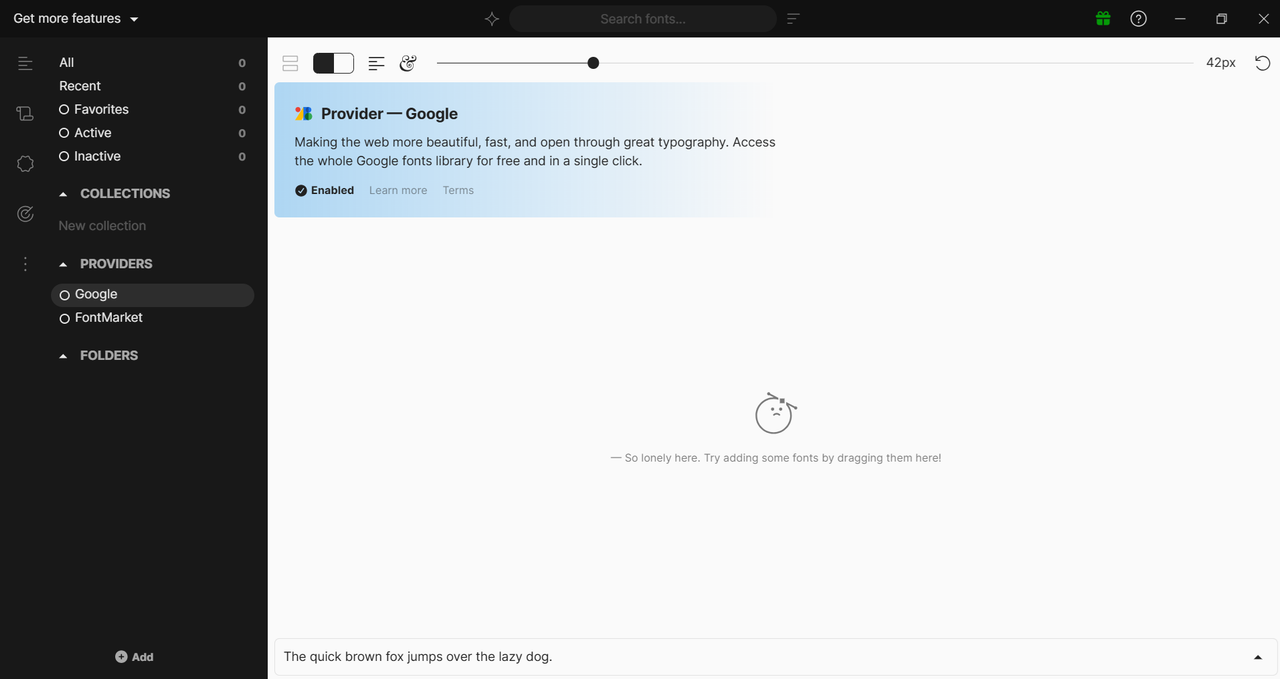
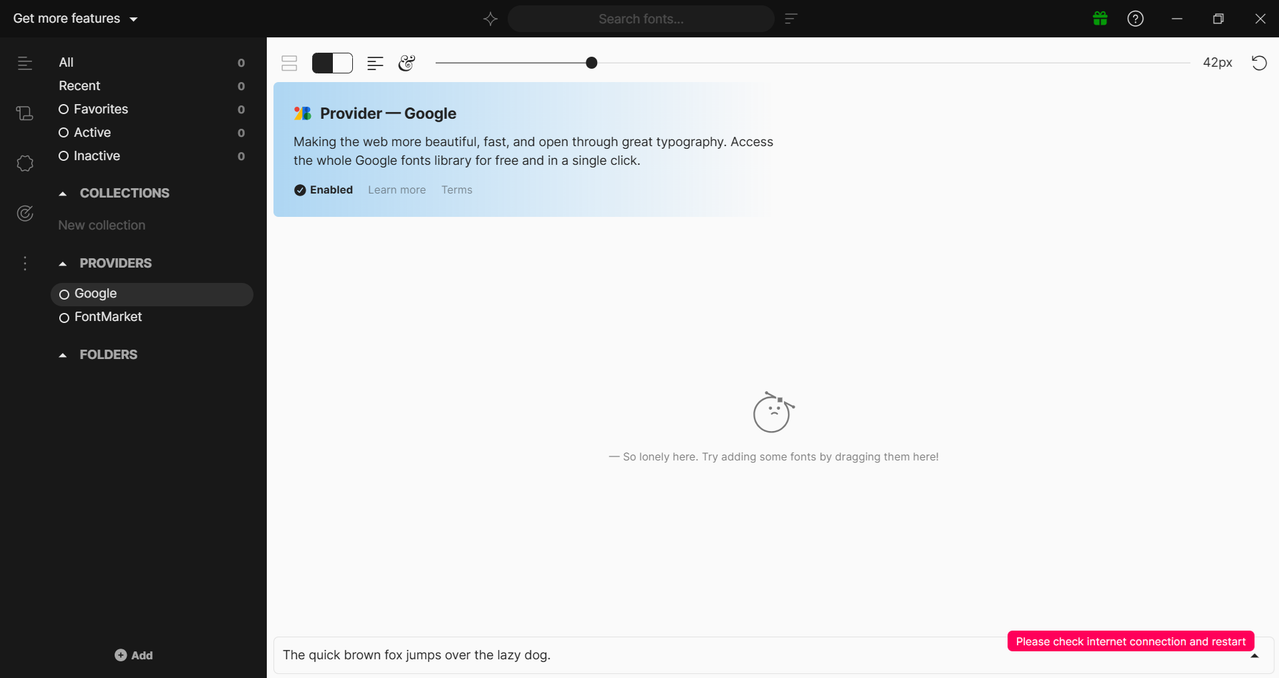
Windows 11 25H2 (26200.7623) + Fontbase 2026.2.0
So, I just installed this app, but I can’t see anything loading. Can’t see any google fonts, or other provider fonts as well. It’s just a blank screen.
Screenshot - image hosted at ImgBB — ImgBB
Windows 11 25H2 (26200.7623) + Fontbase 2026.2.0
So, I just installed this app, but I can’t see anything loading. Can’t see any google fonts, or other provider fonts as well. It’s just a blank screen.
Screenshot - image hosted at ImgBB — ImgBB
Hello Abhishek, thank you for your post and welcome to the forum 
Looks like your Google Fonts provider is hidden - could you try right-clicking the Google provider in the PROVIDERS section in the sidebar on the left and selecting Show?
Also, just in case, please check if there are any issues with the internet connection when launching and using the app.
Thank you again,
DONT WORK, I HAVE THE SAME PROBLEM. My internet works, but appears “please check internet connection and try again”
You can check the screenshot, I don’t think it’s hidden. Here’s screenshot link again - image hosted at ImgBB — ImgBB
I am clicking on it, but nothing’s happening. Also, no issue in the internet connection, because how else could I have made this thread.
Hello @s4nt11f0r3r0, thank you for your reply and welcome to the forum
Unfortunately there are some issues with the forum’s platform, which prevent built-in image uploading. I’ve attached the screenshot below via https://postimg.cc
This is how the main app window should look like with the Google provider selected (left click on it to select). Upon right-clicking the pop-up menu should show up with 2 options (Show and Hide).
Thank you again,
Hello @abhishek8899, thank you for the quick reply
Please let me clarify to better understand what might be going on - does the Google provider in the left sidebar not react to both the left and right click?
If so, what happens when you left-click or right-click on the FOLDERS section title in the sidebar?
Also, please make sure your FontBase is up to date by downloading the latest version from FontBase — Downloads and installing it.
Thank you again,
@yuriy Just received an update in the app, I updated, and now google fonts are showing. So the issue is now fixed.