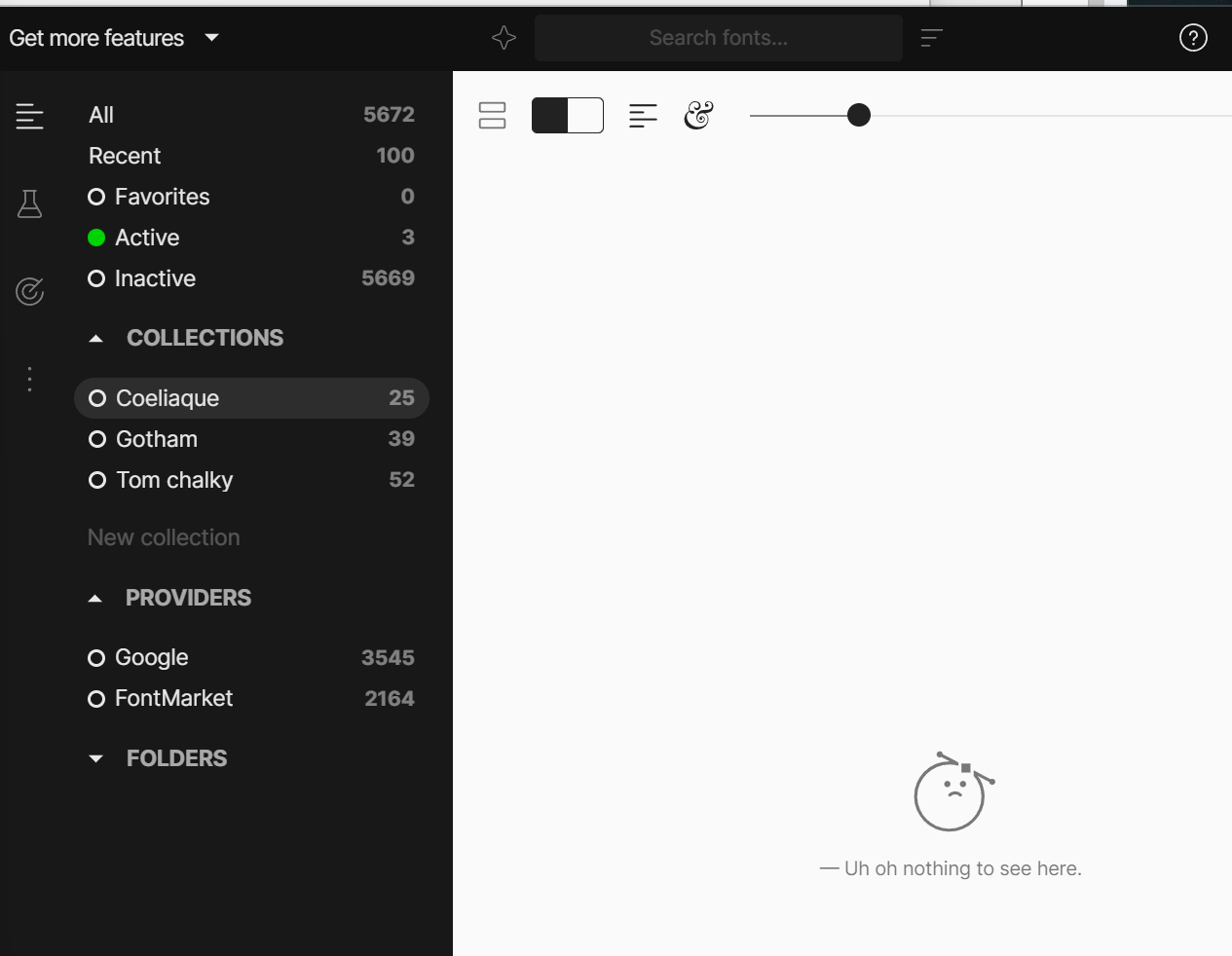
The app auto updated and now as far as I can tell, all my fonts that had been classified in Custom collections have dissapeared from the app. Even when going into the “All” section, any of my fonts that are in collections aren’t showing.
Maybe other fonts have dissapeared as well, but spot checking seems to indicate the only ones that dissapeared are the ones I put in custom collections.
Going to the collection shows as empty (even though the still knows how many fonts are in the collection if you look at the sidebar)
Running the app as administrator and several restarts didn’t fix it.
Windows 11 Home version 25H2 (Windows Feature Experience Pack 1000.26100.265.0)
FontBase version 2.24.4
What actions caused the issue : Seemingly, the update.
Hello @Pr3st0ne, thank you for your post and welcome to the forum
From the screenshot I see that you have no external font folders added into FontBase.
Were you only using Google fonts before this had happened?
Also, is your Root folder located on a network drive by any chance?
No actually, if I recall, that’s another “bug”.
I had imported an entire folder with hundreds of sub-folders from my computer(I forgot if I did that as a Watched folder or regular Folder import), and Fontbase imported the fonts just fine, but the folder never showed up as a folder in the left sidebar. The fonts were in there and i used them without issue for months. I assumed Fontbase couldn’t handle how to show 3-4-5 levels of sub-folder nesting and that’s why it didn’t show up in the “Folders” section at the bottom.
In terms of what the folder was, it’s actually a local folder on my computer, but it is backed up on Google Drive.
But to be clear, it’s really in my PC, it’s not like when you browse your google drive through the windows file explorer but files are actually in the cloud. This is an actual physical folder on my PC.
But now that you mention it, it does look like the only fonts I have access to in my “All” tab are the google and font market fonts now.
Thank you for the quick reply and the additional info
Re-importing the missing font folders sounds like a reasonable course of action at this point, yes.
This behaviour is very odd, there don’t seem to be any reasons for this to happen based on the information you’ve provided.
This has also happened to me (and our whole team). We use FontBase to sync all our client fonts in a network drive - the original setup was for it to be in the root folder but since this update that no longer works and all of our client fonts are in accessible
Hello Kev, thank you for your message and very sorry for the delay
If I ask the same question as with @lolo23 - were any of your font folders inside the Providers folder?