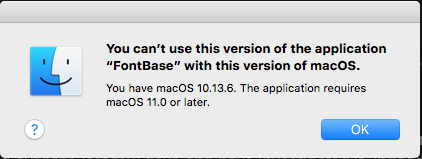
I’ve been running Fontbase for several years. It is superb.
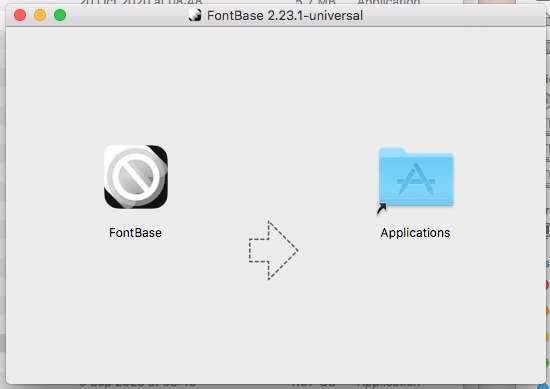
However today I get a message saying that the software isn’t compatible with my operating system. So I’ve tried downloading the latest version - but that won’t run. It simply pops up a window appearing to say to move it into the Applications folder (which I’ve done).
But it is an DMG file (disk image) not an application?
Hello Phil, thank you for your post and welcome to the forum
Have you perhaps already tried uninstalling FontBase, downloading the latest installer from our website and re-installing the application?
Hi Yuriy, thanks
I think what had happened is that there had been an automatic update of FontBase and the new version didn’t work with my Mac (which is at least five years old).
I’ve downloaded an older version of Font Base and it seems to be working again.
However - how do I stop that happening again?
How can i switch off auto updates?
Phil
Hello Phil, thank you for the quick reply
I would suggest uninstalling the current app version, downloading the latest installer and running it. If the freshly installed latest version still does not work, please let us know here as that is something that really shouldn’t happen normally:)
Also, starting from 2.11.2 automatic updates can be disabled via the Settings page.
Hello Phil, thank you for the quick reply
Making a screenshot and dragging it over the text field when you’re creating a new reply should do the trick under normal circumstances.
As for the OS - which one are you running specifically? Which MacOS version (name and version numbers)?
Also, which FontBase installer version were you using when this occurred?