Hello running version 2.24.9
I am on Mac OS Tahoe 26.1
I was running out of room on my primary hdd so I changed the default install locations to a 2nd hdd in adobe creative cloud and uninstalled and then had it reinstall at the new locations one Adobe app at a time. Fontbase was not happy after the reinstalls. Adobe deleted everything inside the original /Application/AdobeIllustrator/ folders but did leave behind the old plugin folders along with font base’s plugin sub-folder but in settings you can not successfully change the plugin location to a 2nd hdd it doesn’t seem currently. I can change it and point it at anything on the main hdd folders but as soon as I try and point it to the 2nd hdd install location/plugin/ it gives an error after asking for the password/authentication. Error is “could not install FontBase-mac-Photoshop-2026-M1 plugin”
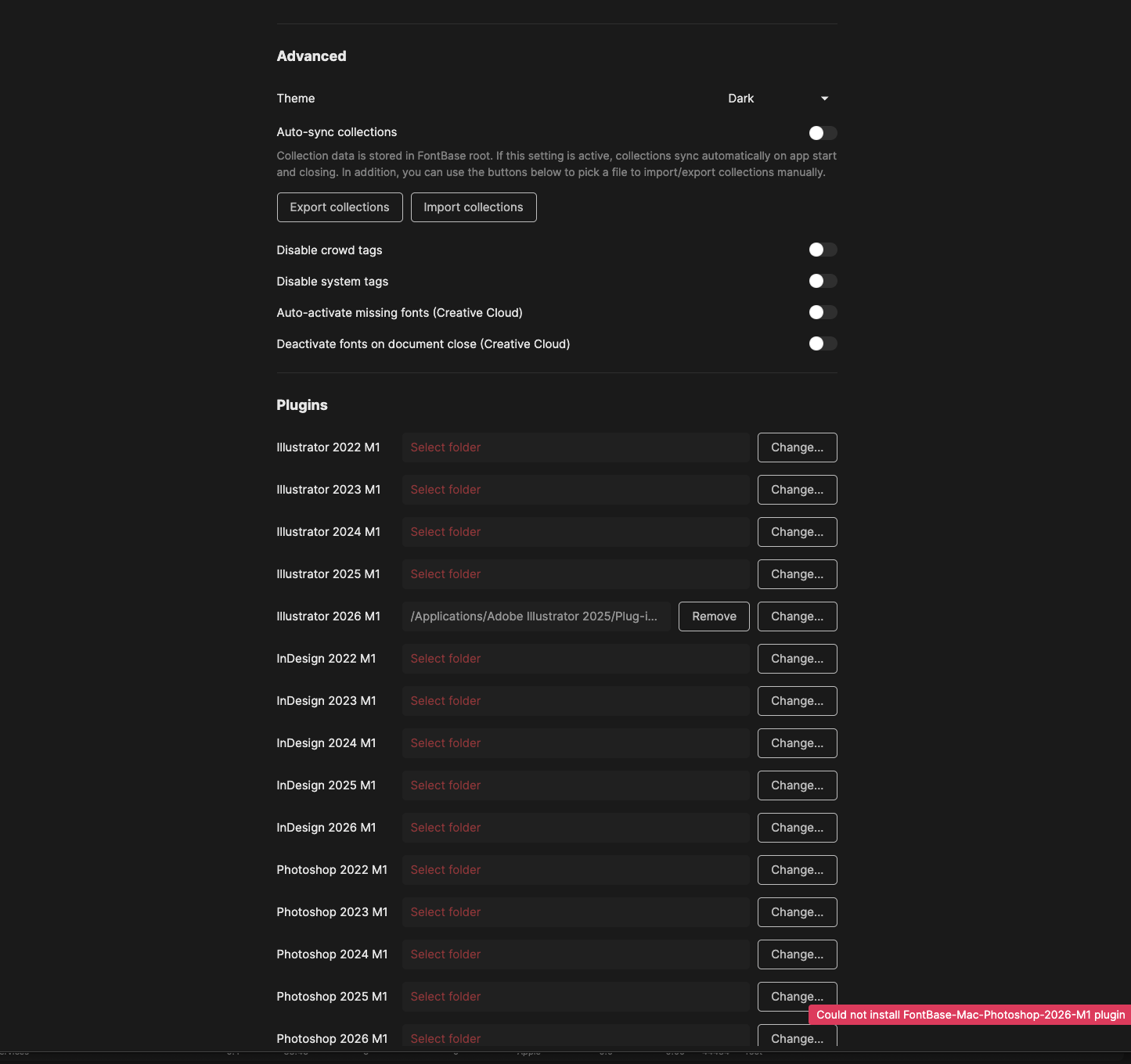
Im curious if you think moving fontbase over to this same 2nd drive as the adobe applications could solve this inability to select the plugin folders.
Follow up: should I move the Font Library as wells everything is all on the same drive?
As a recap currently All Adobe applications are on 2nd hdd Fontbase is on Primary drive (/Applications/Fontbase) and Font library is also on the primary hdd. Id rather not move the font library as it’s shared elsewhere but just thought id ask?
Hello @vequalsitimesz, thank you for your post 
Have you perhaps already tried uninstalling and reinstalling FontBase without making any other changes to the whole setup?
Thank you again,
You could try manually removing the leftover plugin folders on the main drive and reinstalling the plugin, or temporarily moving the Adobe app back to the primary HDD to confirm whether the issue is related to the secondary drive location. Hopefully the FontBase team can clarify if secondary-drive plugin installs are supported.