Because LinuxMint has an overload of system-installed SE-Asian typefaces, one of the first things many do is cleaning up.
Somehow I overdid the cleaning; besides Ubuntu fonts the system needs, I left Noto Sans Hebrew and Noto Sans Arabic, the rest was what I have FontBase for , after all.
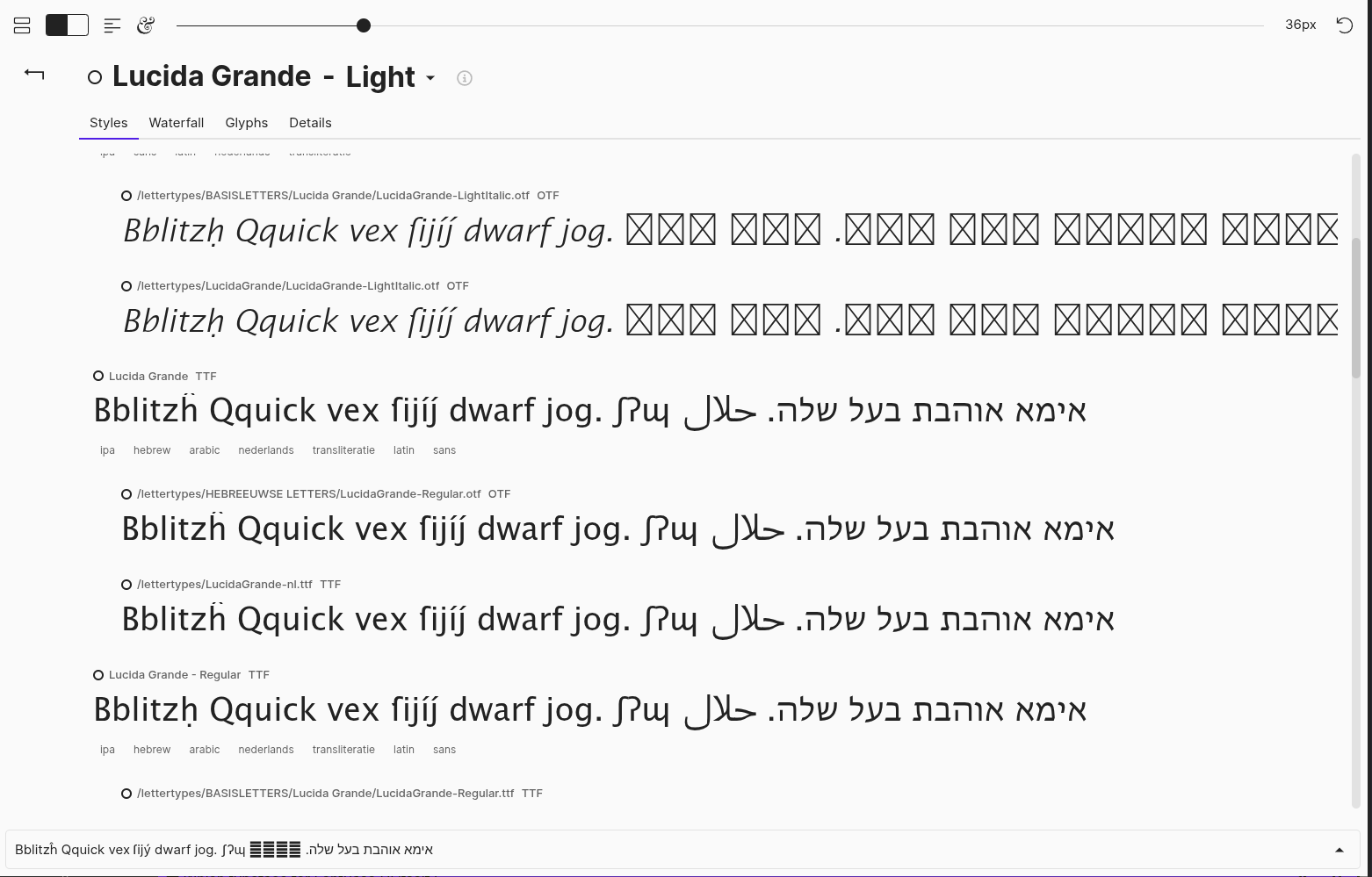
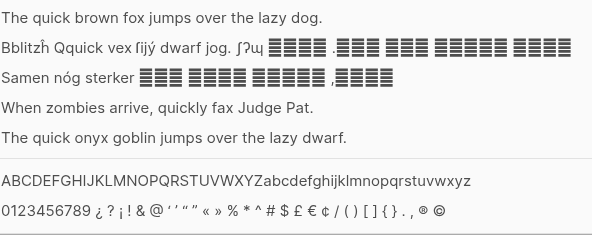
But in my selection text the Arabic has been replaced by bars. Just for the UI of FontBase itself: when I search or scroll over a font containing Arabic, the text shows as expected.
What systemfont do I need to install to ‘satisfy’ FontBase UI?
Hello David, thank you for your post
There are no specific font requirements for FontBase that I’m aware of. Would it be possible to attach a screenshot of the UI part that mas broken my changing the list of installed fonts? Could help in figuring out what the issue might be.
thanks for your reaction, Yuriy, that helped me find both cause and solution.
Besides FontBase I installed the GTK+ Font-Manager, that permits to install fonts into ~/.local/share/fonts and switch off any of both those installed fonts AND those (pre-)installed in /usr/share/fonts.
Before I deleted all those Noto fonts I switched them off to discover unwanted side-effects. Left both Hebrew and Arabic, since they are not covered by Ubuntu-fonts, but forgot to switch them on again.
Usually I have my basic font (Lucida Grande) switched active in FontBase, so I didn’t notice so far.
When switched off, suddenly Arabic was replaced by the four stacks. Not Hebrew though. That was confusing.
Until I found out that Liberation Sans, the basic typeface for LibreOffice, was preinstalled and covers Hebrew. Those switched off gave the barred stacks for Hebrew as well.
So after all, it has nothing to do with broken fonts, just with some switches ignored in another application.
Quite a story, sorry for the inconvenience asking help before I found the solution myself, but I hope I can help future linux-users avoiding this mistake in handling.